It's no secret that technology has taken over virtually every aspect of our lives. This is especially evident in the way we learn and receive instruction. In the tech age, many students and tutors are turning to online platforms and tools to get the most out of their lessons. While this can be a great solution for some, it can also lead to problems if not done correctly. There are many great online platforms that you can use to connect with a tutor. However, it's important to make sure that you choose a platform that is private and secure. Using dedicated online tutoring software can help manage lessons, scheduling, and student communication more efficiently, making the process smoother for both tutors and learners. In this blog post, we will discuss how you can have effective lessons in the tech age, and not just with teaching online.
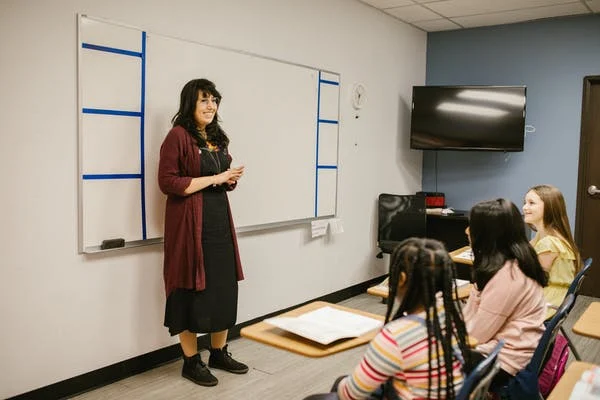
1. A private tutor
There are many great online platforms that you can use to connect with a tutor. However, it's important to make sure that you choose a platform that is private and secure. This will ensure that your personal information and lesson materials are safe and protected. Also, before hiring one, you should think about the student's needs. Answering these questions can help you narrow down the vast array of options and choose the right ones for your needs. For instance, GCSE catch up lessons are provided using videos and they might be better suited for students who wish to learn visually. Whereas, a one-on-one conversation class might be better done over Skype or Google Hangouts. This brings us to our next point…
2. Make sure you and your students are comfortable with the technology
This may seem like an obvious point, but it's often overlooked. It's important to make sure that both you and your students are comfortable with the technology you're using. If you're not familiar with a certain platform or tool, take the time to learn about it before using it in a lesson. The last thing you want is for a lesson to be derailed by technical difficulties. Similarly, if your students are not comfortable with the technology, they will not be able to focus on the lesson itself. Make sure to spend some time beforehand getting everyone up to speed on how to use the tools you'll be using. Also, be sure to have a backup plan in case something goes wrong.
Teaching foreign students
Speak to Students in Their Own Language With Typeless
Typeless is a voice keyboard that translates as you speak. Talk in English and it writes your message in your student's language, across 100+ languages, in any app on Mac, Windows, iOS and Android. Handy for first chats with beginners, lesson notes and messages to parents.
3. Utilize different types of technology
There's more to technology than just online platforms like AmazingTalker and tools. There are a variety of ways you can incorporate technology into your lessons. For example, you can use:
- Online resources: There are a wealth of online resources available for both tutors and students. These can be used to supplement your lessons or as standalone materials. Some examples of online resources include websites, articles, videos, and games.
- Mobile apps: Mobile apps can be a great way to engage students in learning. There are apps for virtually every subject and topic imaginable. You can use apps to reinforce concepts taught in class or assign them as homework tasks.
- Educational software: Educational software is a great way to provide structure and support for students. There are a variety of programs available, ranging from simple flashcard apps to comprehensive language learning suites.
When incorporating technology into your lessons, it's important to remember that less is more. Too much technology can be overwhelming and distracting. Instead, focus on using a few well-chosen tools or resources that will enhance your students' learning experience.
4. Keep lessons focused
It can be easy to get sidetracked when using technology in your Allschool lessons. There are so many possibilities and opportunities that it's tempting to try to do too much. However, it's important to remember that the focus should always be on learning. When incorporating technology into your lessons, make sure that it is serving a purpose and furthering your student's understanding of the material. If you find yourself getting distracted or going off on tangents, take a step back and refocus on the task at hand. Also, be sure to give your students breaks periodically so that they can take a breather and avoid information overload. It's important to strike a balance between using technology and keeping things simple.
5. Be flexible
Things don't always go according to plan, especially when technology is involved. Be prepared for the occasional technical difficulty or glitch and be willing to adjust your lesson accordingly. If something isn't working the way you wanted it to, don't be afraid to change things up and try something else. The most important thing is that your students can learn and understand the material. Some people learn best by listening to a lecture, while others prefer to see things demonstrated. As a tutor, it's important to be flexible and cater to your student's individual needs. Also, be sure to provide different types of materials and resources so that your students can learn in the way that works best for them. While sometimes things don't go as planned, being flexible will ultimately help you to be a more effective tutor.
6. Encourage collaboration
Technology can be a great way to encourage collaboration between students. There are a variety of online tools that allow students to work together on projects and assignments. By working in groups, students can learn from each other and get more out of the lesson. When assigning collaborative tasks, make sure to choose a platform or tool that everyone is comfortable using. Also, be sure to give clear instructions and expectations for the task. You can ask your students to share their work with you electronically or in person. It's up to you to decide what will work best for your students and your lesson. While technology can be a great tool for collaboration, it's important to encourage students to work together in person as well. Technology should be used as a supplement to face-to-face interaction, not a replacement for it. If you encourage collaboration between your students, you'll find that they are more engaged and get more out of the lesson.

Technology can be a great asset in tutoring and teaching. By following these tips, you can ensure that your lessons are effective and enjoyable for both you and your students. Give it a try and see how it can help take your teaching to the next level! So, there you have it – tips to help you effectively use technology in your tutoring and teaching.

Find Your AI Training Job
Chat with DigiNo Toucan and get matched to remote roles in one minute.

 How Can Hospitals Create A Stressless Environment For Their Patients