
Nowadays, managing documents efficiently has become an important skill to keep the workflow moving. However, students, professionals, data entry workers, and other people who deal with data management often find it difficult to convert, handle, and edit documents. This situation results in complexities and frustrations.
If you’ve faced similar challenges, turning to reliable online tools is a smart solution. One such platform is Jpgtotext.com. It is a toolkit that is developed to simplify a variety of digital tasks.
Here, we’ll review this toolkit comprehensively, explore its features, and discuss its different tools that make it the best toolkit to simplify your workflow.
What Is JPGtoText.com?
Jpgtotext.com is a toolkit that provides multiple online tools to help users streamline and simplify their different document-related tasks. It is equally beneficial for;
- Professionals to handle office documents.
- Students deal with their assignments and notes.
- Freelancers to deal with the files of clients.
- Data entry workers to do various conversions.
And more…
What Features of JPGtoText.com Make It the Best Toolkit for Workflow?
Here are some noticeable features of the platform that make it the best toolkit for simplifying your workflow;
- Provides Different Tools:
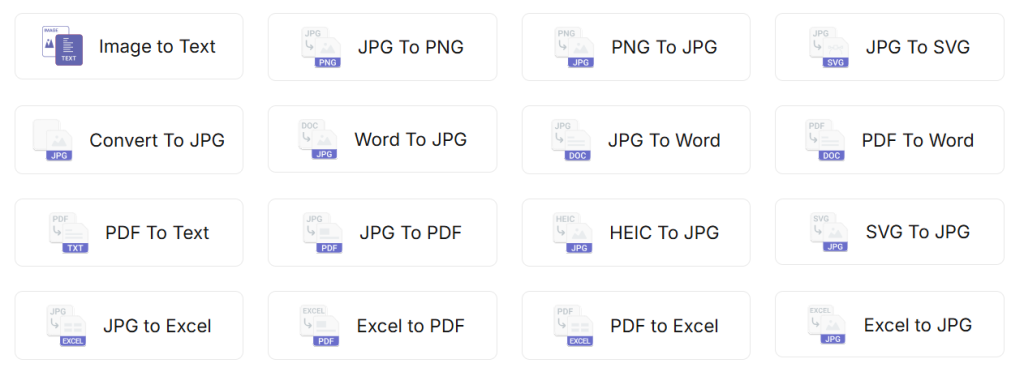
As stated earlier, Jpgtotext.com is a toolkit that comes up with different tools, including Image to Text converter, JPG to PDF, JPG to Excel, and PDF to Word, and others. It helps you access any tool with just a single click, removing the hassles of finding separate tools for each purpose. This feature helps you simplify workflow and save a lot of time.
The image below showcases its different tools:
- Precise Working:
All the tools of Jpgtotext.com are equipped with an accurate working mechanism. To ensure this feature, we practically ran most of its tools and got the expected results every time. This feature is best to avoid any kind of error in the workflow.
- Advanced OCR:
At the core of its tools works advanced OCR (Optical Character Recognition ) technology. This enables the tools to process even blurred, old, and complex documents. Plus, it ensures precision while extracting tables, handwritten content, and printed data.
- Simple Navigation:
Another feature that makes it the best toolkit to simplify workflow is the simple navigation, which means anyone can easily use its tools without any prior experience. You just need to do a few simple steps to get your task done.
- Multiple Options to Upload:
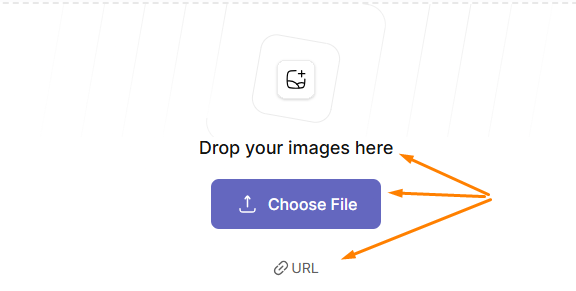
While analyzing its tools, we found that most of them offer multiple options to upload files. Like: direct paste, drag & drop, uploading from device, and even via URL.
For Example:
“Its image to Tex converter offers different input options, as you can see in the picture.”
- Fast Working:
Faster working speed is another effective point we noticed in the toolkit. This feature is useful especially when you are working under tight deadlines and have a short time to convert files, digitize data, etc.
- Available in Various Languages
Many of its tools are available in different languages, including Indonesian, French, Italian, Spanish, Portuguese, and others.
How Different Tools of JPGtoText.com Help to Simplify Workflow
Let’s now briefly explore different tools of Jpgtotext.com and discuss how each helps in simplifying your workflow.
1. Image to Text Converter
Image to text is the signature tool available on jpgtotext.com, which works using OCR algorithms to extract text from images, screenshots, reports, and scanned documents.
How Image to Text Converter Simplifies Workflows?
- If you are a student, this tool will help you automatically transform handwritten pages and screenshots of lectures into editable text. This way, you can easily create a note without needing to type manually.
- If you’re a business professional, you can use it to digitize business reports, contracts, and other documents.
- If you’re a researcher, the image to text converter will simplify your task of extracting text from infographics and physical forms of research materials.
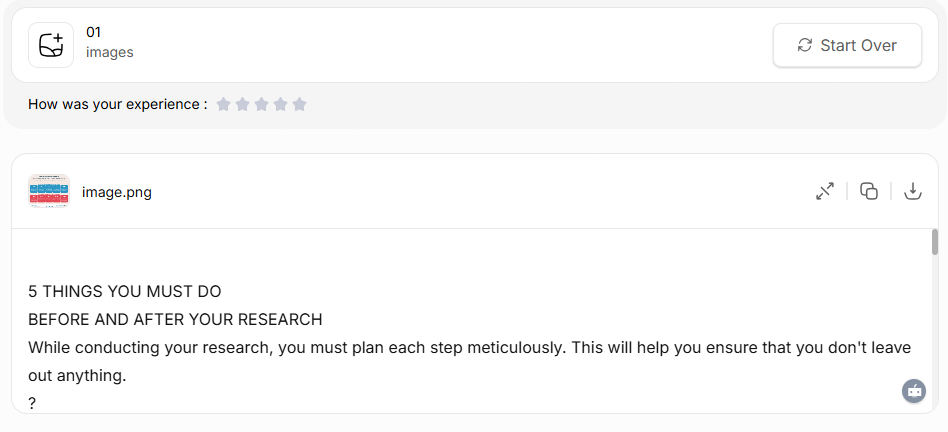
Here’s the pictorial Demo of the tool;
2. JPG to Word Converter
This tool of Jpgtotext.com allows users to immediately turn their JPG images into Microsoft Word files. Along with JPG, it supports various other image formats, including PNGs, GIFs, WebP, TIFF, and others. While converting your files, it accurately preserves the actual formatting, colors, dimensions, and layout.
How JPG to Word Simplifies Workflow?
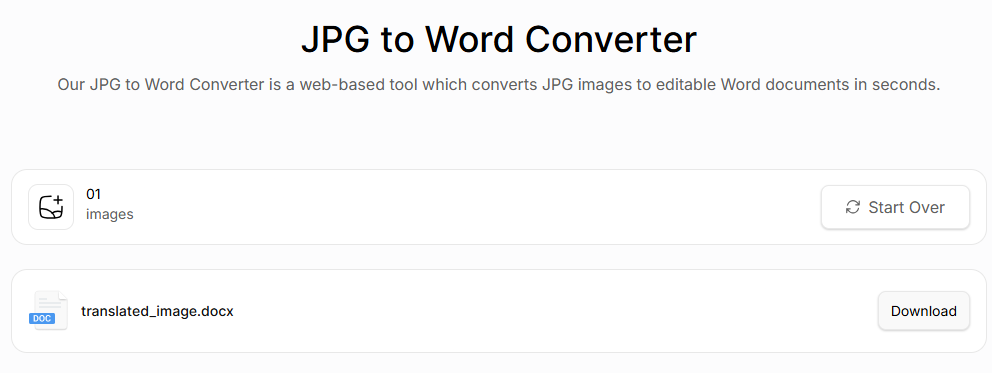
It lets you automatically transform multiple images into an MS Word file without any manual effort. All you need to do is input the images into the tool, crop the parts if needed, and click the “Convert Now”. The tool will quickly complete the conversion and provide you with the MS Word file as output.
For reference, you can see the following image:
3. JPG to Excel Converter
Another tool offered by the toolkit is JPG to Excel, which uses OCR technology to automatically transform your images into an Excel spreadsheet.
Here’s How It Can Simplify Your Workflow:
Manually creating Excel sheets from tabular data embedded inside images is a challenge. It demands a lot of effort and time as well. Besides this, the manual process is prone to errors. On the other side, the JPG to Excel converter extracts tables, numbers, and structured data from images and automatically creates an editable Excel file, which you can edit and download.
Here’s a Demonstration;

4. JPG to PDF Converter
The JPG to PDF converter is another helpful tool that helps users organize and convert their JPG images into professional PDF documents.
Here’s the pictorial demo of the tool’s working;

Similarly, the toolkit offers multiple other tools to simplify different tasks, such as;
- PDF To Word: to turn PDF files into MS Word with just a single click.
- PDF to Text: Automatically extract text from PDFs, which you can edit.
- PNG To JPG: Instantly convert PNGs into JPG images.
And so on….
Conclusion
In the above sections of the post, we reviewed JPGtoText.com, a popular toolkit that offers different tools. We explored its main features to showcase why it is the best for simplifying your workflow. Along with this, we discussed different tools of this toolkit and highlighted how each tool can help you. All in all, this toolkit can be your best option for doing different task management and conversion tasks.

Find Your AI Training Job
Chat with DigiNo Toucan and get matched to remote roles in one minute.

 The Impact of Mentorship: How Guided Learning Shapes Career Journeys